Import from another bookmark manager
Bring your existing bookmarks in from Chrome, Firefox, Safari, Edge, Raindrop.io, Pocket or Instapaper.
Import is free on every plan — you don't need to upgrade to bring your existing bookmarks in.
Export your bookmarks first
- Chrome, Edge, Firefox, or Safari — use your browser's own bookmark manager to export bookmarks to an HTML file.
- Raindrop.io — go to Settings → Backup → Export, and choose either HTML or CSV.
- Pocket — unzip the export Pocket gave you and choose the CSV file inside (an older Pocket HTML export works too).
- Instapaper — export your articles as HTML from Instapaper's settings.
Import into Trezio
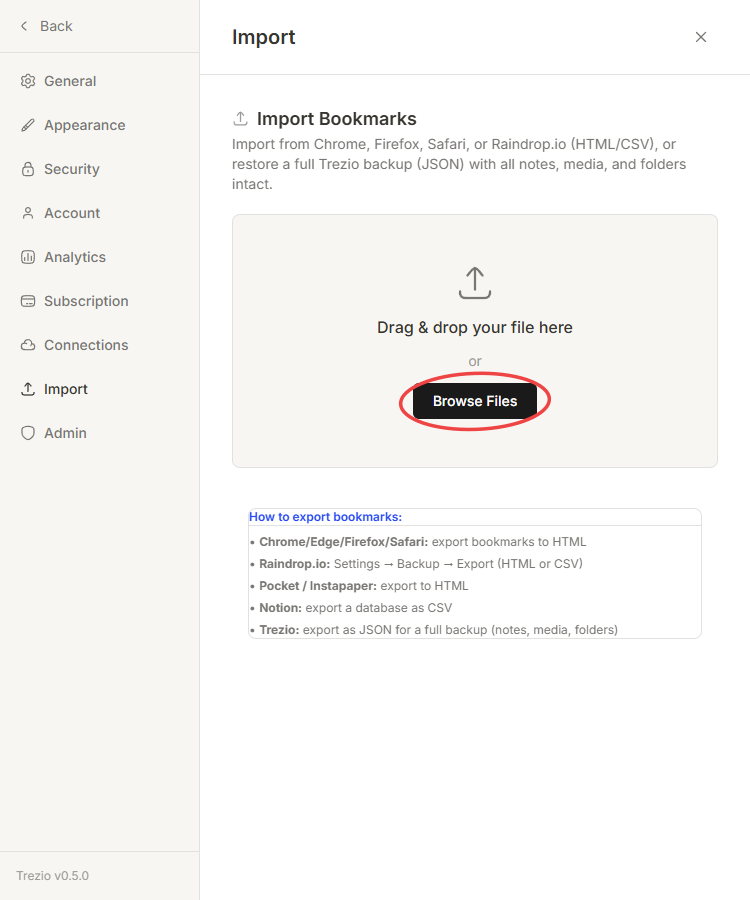
In Trezio, go to Settings → Import Bookmarks.
Choose the file you exported.
Review the import options, then confirm.
What happens to your folders and tags
Your existing folder structure carries over — bookmarks land in the same nested organization they had before, not dumped into one flat list. Any tags your old bookmark manager used get converted into Trezio charms. Bookmarks that already exist in your library aren't duplicated.