Save your first item
How saving works in Trezio: what happens the instant you save, and the different places you can save from.
Trezio is built around one idea: saving something should never make you wait. When you save a link, it appears in your library immediately — Trezio fills in the details afterward, without you having to watch it happen.
Save a link
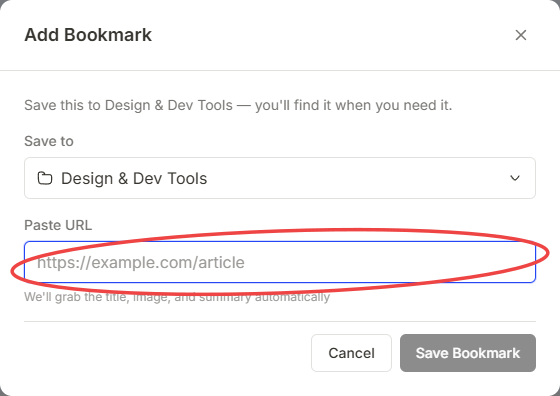
Open the Add screen and choose URL.
Paste or type the link.
Save. The item appears in your library right away, titled with the site’s domain name as a placeholder.
What happens after you save
The moment you save a link, Trezio inserts it into your library using the domain name as a temporary title — that’s the instant part, and it’s designed to feel effectively immediate. Right after that, Trezio fetches the page’s real title, description, and thumbnail in the background and updates the item automatically. You don’t need to refresh or wait on a loading screen; the card simply fills in once the details arrive.
Other things you can save
- Text notes — save a thought or snippet directly, no URL needed. Available in the app on web and mobile.
- Voice notes — record directly in the app; Trezio transcribes it for you. Also available on both web and mobile.
- Screenshots and images — available from the browser extension (paste or drag an image into it) or the mobile app’s Media tab. The web app’s own Add screen doesn’t have a direct image-upload option yet.
Save from anywhere, not just the web app
- Browser extension — install it once, then save the page you’re on with a single click, or press ⌃⇧S to open it instantly from any tab.
- Your phone’s share sheet — from almost any app, tap Share, then choose Trezio to save what you’re looking at without switching apps.
Everything you save, from any of these, lands in the same library and behaves the same way — you can move it into folders, tag it, favorite it, or search across all of it together.